"When I get home I need to..." and then I get home.

By Rick Brown · · 5 min read
The thought that doesn't make it home
I'm driving. Somewhere between a football game I just finished refereeing and my driveway, my brain hands me something useful: "Oh, when I get home I need to..."
And then I get home. And it's gone.
Not faded. Gone. Like it was never there. Sometimes it comes back three days later at 2 AM, which is super helpful. The other version is "tomorrow I need to remember to..." and then tomorrow comes and I have no idea what that thing was. I just know there was a thing I was supposed to remember.
If you have ADHD, you already know this one. You probably live this one.
Nobody asked for this
I want to be honest about where this feature came from. Nobody requested it. There wasn't a survey. Check Yeah is a habit tracker, and technically a one-time "go to the bank tomorrow" isn't a habit.
But I use my own app every day. Even though it was just released a week ago, I've been using it for a little while now as I was designing and testing it. I kept wishing I could just throw one of those thoughts at it. So I built it for me, the same way I built the rest of it. I figure if I need it, I'm probably not the only one.
They're called one-offs. Here's how they work:
- Say it or type it in plain words. "Call about the dog sitter on Friday." "Grab the mail when I get home." "Pay rent on the 1st." The app figures out the day and the moment and keeps the rest as the title.
- It shows up on the right day. Friday's thing shows up Friday. "When I get home" lands with the rest of my get-home stuff.
- Check it and it disappears. No streak. No stats. It did its job and it goes away.
- If you don't get to it, it quietly rolls over to tomorrow. It just says "from Monday" or whatever in small print. No red. No overdue count. No guilt. You know how I feel about red X's and guilt trips.
- If the same one-off keeps showing up, make it a habit. Long-press it. That's the app telling you something about your life, not judging you for it. Make it a habit and continue on with life.
One-offs are unlimited on the free plan. Putting a paywall in front of "don't forget the mail" felt gross, so I didn't.
I know me. If I have to open the app, it won't happen
If I have to unlock my phone, find the app, open it, and tap a button, the thought is already gone or I just don't even try in the first place. The capture has to be faster than the forgetting and easier than the not wanting to deal with it. If I had to do all of that, I might as well use a note taking app. I don't need another one of those I won't use.
So most of the work went into ways to jot something down without really opening the app at all.
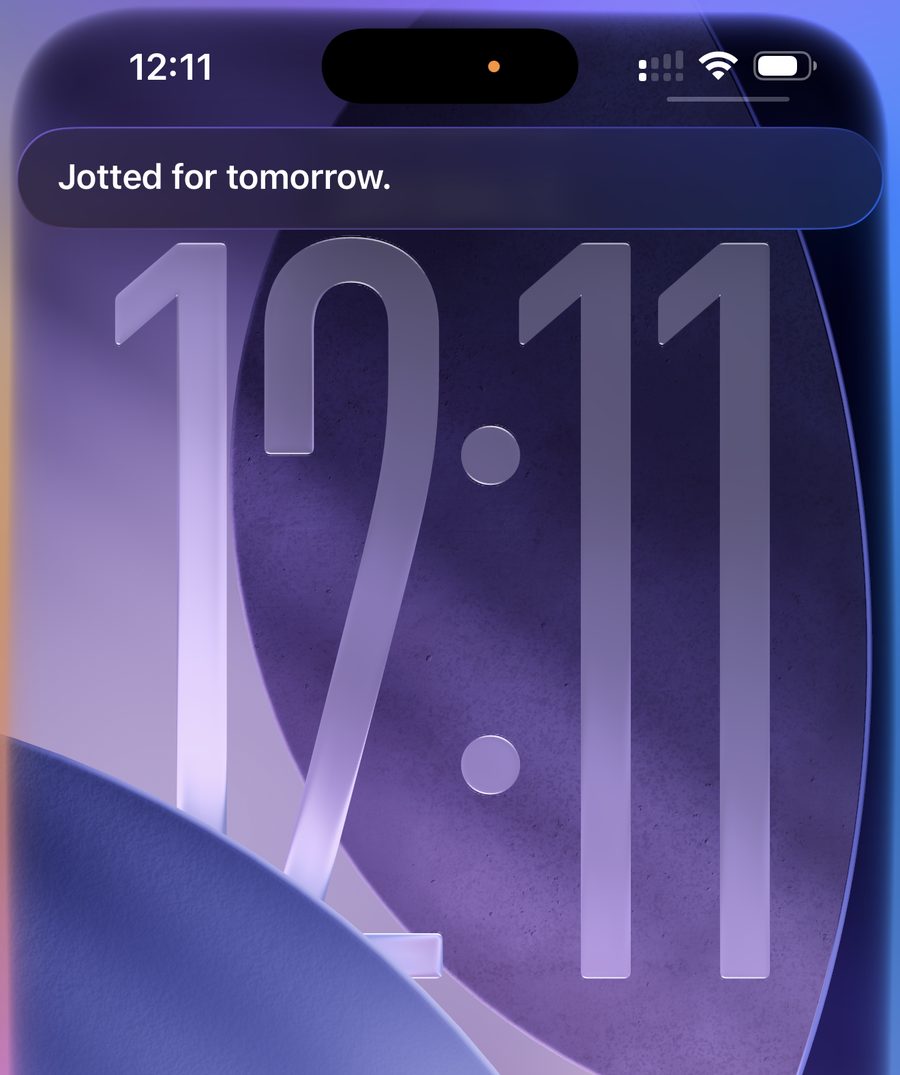
On iPhone, you can just say it. "Hey Siri, jot in Check Yeah." Siri asks what you want to add, you say it, and Siri tells you the day it picked. Screen locked, hands on the wheel. Easy peasy.
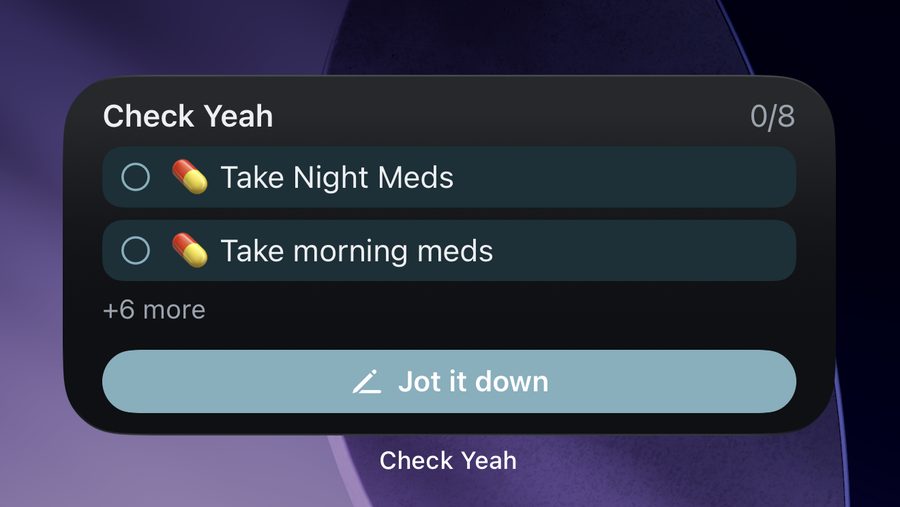
There's a button on the widget. Both iPhone and Android. One tap and the app opens already listening. This is one of the reasons why I have the widget on my home screen. When the thought hits me, it's one tap to add it to the app. This is what I use, at least until Google gets their act together on Android. (More on that in a minute.)
You can share to it. Highlight text anywhere, hit Share, pick Check Yeah. Great for the "I need to deal with this email later" or "I need to do something that's mentioned in this text" moments.
On Android, there's a tile in Quick Settings. Swipe down from the top of the screen and it's right there next to the flashlight, well, at least in the same area as the flashlight. If it's not there, go into the settings in the app and there's a button to add it. Then you can go back and edit the quick settings menu and arrange it however you want. If you aren't using a widget (and really, why aren't you??), this is the next best thing. A quick swipe down, then a tap, and you're talking to the app.
"Hey Google" isn't there yet. Google has a new way for apps to work with their assistant, but it's in a closed preview and the waitlist is full. The day they open the door, it's going in. This is the one I need so I promise as soon as it's available, it will be added to the app!
I put together a guide with pictures that shows every one of these.
A few other things in 1.1
- Reminders clean up after themselves. If the 9 AM "take your meds" notification is still sitting there at 9:15 and you check it off from the widget, the notification goes away. It used to just sit there judging me and it drove me crazy. Not anymore. I have a couple of other apps that don't dismiss their notifications automatically like that, and I hate it, so I didn't want my app to do that.
- Forgot your password? There's a link for that now. Someone pointed out that there wasn't a way to do this. Oops. That was my oversight. Of course my fellow ADHD people will need a way to reset their password.
- Up next. The Habits tab shows everything you've jotted for later, so Friday's thing isn't invisible until Friday.
- Widgets are smarter. They list your habits in the order you'd actually do them, the Android one scrolls, and iPhone has a large one as an option now because Apple doesn't let widgets scroll, for some reason.
What it still isn't
It's still not a to-do list app. There are no projects, no priorities, no subtasks, and there never will be. I've deleted enough of those. This is just a place to put the thought down before it evaporates, and a gentle tap on the shoulder when it's time.
Version 1.1 is out now on iPhone and rolling out on Android very soon. If you try it, I'd really love to hear what you think.
And if you decide to try Premium, the early supporter deal is still on: the annual plan is $24.99 instead of $39.99 through October 31, 2026. On Android it applies automatically. On iPhone, use the code CHECKYEAH25.
Questions or your own story? Email support@checkyeah.app. I read all of it.